
No app. No receivers.
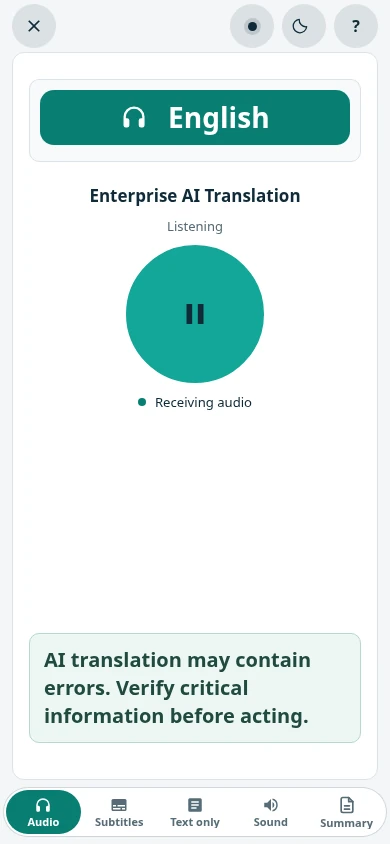
Listeners scan a QR code and open the translation in their phone browser. Nothing to download, nothing to collect back after the event.
SalamAI translates live speech into audio and captions in 70+ languages. Your audience scans a QR code and listens on their own phone, in their own language. No app to download, no receivers to hand out.
Live AI Translation
Speak in your language. Read and hear it in another, live.
AI translations can make mistakes. By testing this service, you accept the terms at ordinexis.com.
Checking demo availability…
Your live AI translation
Audio and text aren’t saved. A technical usage report is emailed to the SalamAI team.
Need a longer demo? Explore SalamAI →
In short
Updated
Live AI translation turns speech into another language while the person is still talking. With SalamAI, the speaker’s microphone or mixer connects to a console in your browser. SalamAI recognises the speech, translates it and sends it out as spoken audio and captions, in up to ten languages at once from one console, chosen from 70+ supported languages. Your audience scans a QR code for their language and listens on their own phone with headphones, or reads captions on a shared screen. There is no app to install and no receivers to hand out. Expect a short delay: translated audio on phones typically arrives about 6–20 seconds after the speaker. For legal, clinical or other high-risk talks, use a qualified interpreter.
Accuracy depends on the language pair, the speaker and the sound. Clear audio from a good microphone or mixer, a speaker who talks at a steady pace, and everyday words all help. Accents, dialects, people talking over each other, background noise and specialist terms make mistakes more likely, and names are a common weak spot. This website does not quote an accuracy percentage, because results vary so much by setup. The best test is your own: try the demo on this page, then run your real speakers, languages and key terms before the event. For legal proceedings, clinical decisions, consent and other high-risk conversations, use a qualified interpreter instead of AI.
Read nextSimultaneous AI translation →Translation on audience phones →
How it works
Pick your setup
Start with what your event looks like. One speaker to a crowd, two people at a counter, or a meeting you need on record.
Keynotes, talks and training. Translate one speaker into up to ten languages, with spoken audio and live captions.
Reception desks, meetings and service counters. Each person speaks normally and hears the other in their language.
Every language gets a QR code. Listeners scan, then hear audio or read captions in the browser.
Live captions on the big screen, saved transcripts after. Plus AI summaries on supported sessions.
Why SalamAI
No interpreter booths to build, no headsets to rent and count. Just your sound system, a computer and your audience’s phones.
Listeners scan a QR code and open the translation in their phone browser. Nothing to download, nothing to collect back after the event.
One speaker, many languages. Each language gets its own audio, captions and QR code, so everyone picks their own.
You pay for connected translation time. A bigger audience does not mean more translation sessions.
Get audience reports, saved transcripts and AI summaries for supported sessions. Easy to share with your boss or sponsor.
Audience reports
After the event, see how many listeners joined, which languages they picked and when the hall was busiest.
Unique listeners are browsers, not verified people. Listening time is an estimate.
Who uses it
From a KL conference with delegates from Jakarta, Tokyo and Dubai, to a town hall for staff in Penang and Shenzhen. Choose the languages your listeners need.
Live translation for events in Malaysia See all use casesPrivacy and access
You decide who can listen and what gets saved. Saved files are encrypted, each language link has its own access rules, and High privacy mode is there for sensitive voice sessions.
How we protect your contentAI translation can make mistakes. Always test your languages and audio before the big day.
Common questions
SalamAI is live AI translation from Ordinexis that runs in your browser. It translates live speech into audio and captions for events and conversations. It also does meeting transcription, summaries for supported sessions and audience reports.
Use the demo at the top of this page. Pick a language, accept the terms and allow your microphone. Then just speak and you’ll read and hear the translation. For your own event, see how the full platform works or request a demo.
No. Listeners scan a QR code and open the Audience Companion link in their phone browser. They need internet access, and headphones for audio in a shared hall. You decide who can join and which languages are available. See phone listening options.
Yes, a short one. AI processing and audio delivery take a moment. On audience phones, translated audio typically adds about 6–20 seconds of delay. Test with your own speakers and phones before the event. Plan for listening delay.
Plan your event
Tell us your languages, crowd size and audio setup. We’ll show you SalamAI live and suggest the right setup for your event.
Already have an account? Open the console →