Translate in both directions
Use separate microphone inputs for both people. Choose hands-free or Hold to speak. End Speech Mode lets the translation finish after each speaking turn.
SalamAI translates a conversation between two people in both directions. Each person speaks normally and hears the other in their own language. Use headsets, paired phones or one shared microphone.
Open the console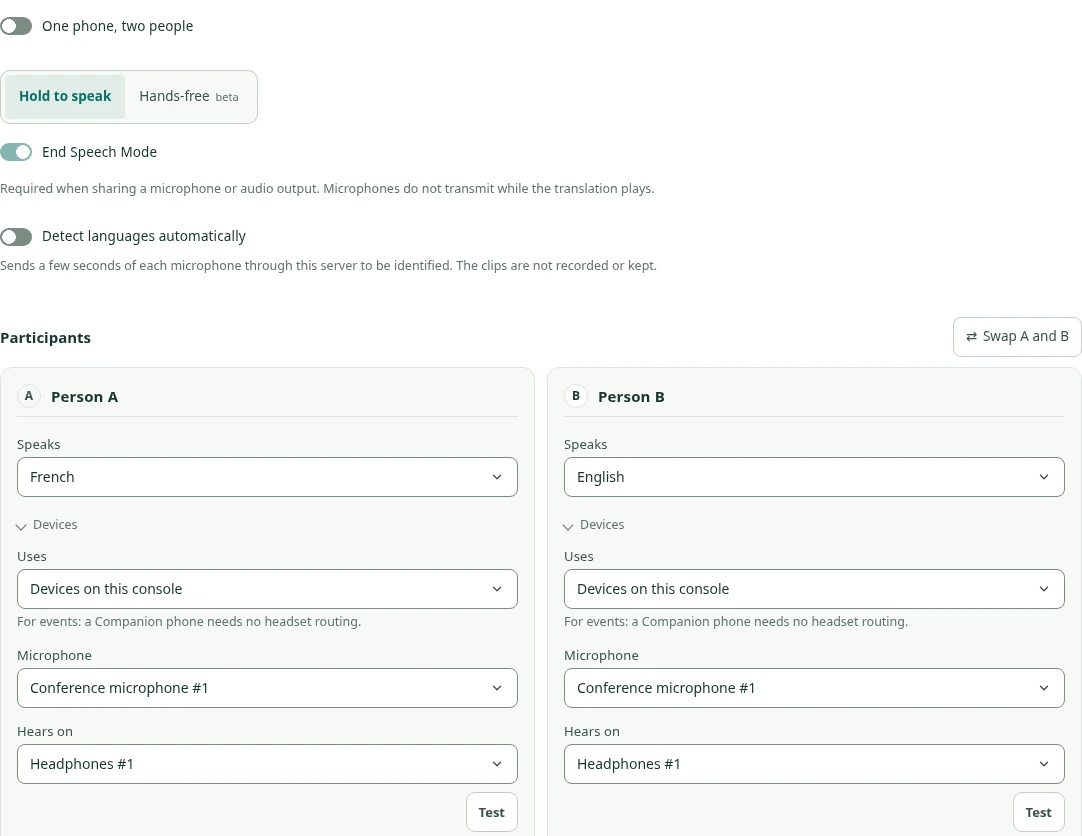
In short
Updated
Two-way translation lets two people who don’t share a language talk normally. SalamAI runs one translation direction for each person: each speaks in their own language and hears the other in theirs. Set it up with separate headsets, pair one or both people’s phones with the host console, or share one microphone with Hold to speak, where each person takes a turn. It works well at reception desks, service counters and one-to-one meetings. Usage is counted separately for each direction. For clinical decisions, legal matters or consent, use a qualified interpreter instead.
Pick the setup that suits the place. Separate headsets give each person clear audio and work well at a fixed desk. Pairing phones through Participant Companion lets one or both people use their own phone to speak and listen, which helps when they cannot share a headset. A shared microphone with Hold to speak is the simplest: each person holds to talk, waits for the translation to finish, then hands over. Whatever you choose, test both languages with real voices, keep background noise low, and remember that each direction counts as separate usage.
Two-way translation suits short, practical conversations between two people: a reception desk, a government counter, a help desk at an event, a meeting with a visiting buyer or a one-to-one interview. Each person speaks in turn and hears the other in their own language. Keep sentences short and wait for each translation to finish before replying, because AI processing adds a short delay. If counters need to run all day at an event, use translation stations in a campaign, where each counter gets its own private access. For clinical decisions, legal matters or consent, book a qualified interpreter instead.
Read nextEvent translation stations →Live translation use cases →
How two-way translation works
“It’s good to meet you.”
“Senang bertemu dengan Anda.”“Senang bertemu Anda juga.”
“It’s good to meet you too.”Illustrative conversation. Actual wording and timing depend on the selected engine.
Use separate microphone inputs for both people. Choose hands-free or Hold to speak. End Speech Mode lets the translation finish after each speaking turn.
Both people can use one microphone with Hold to speak and End Speech Mode. They take turns, and can use separate headphones.
Each language gets a large speaking button. Hold your button, speak, then release it to hear the translation. Keep the page open and test the phone audio first.
Speaking controls use each person’s language where supported. You can select languages yourself or use optional language detection. Detection sends a short audio sample for processing.
Participant Companion
Either person can replace their console microphone and earpiece with a QR-paired phone. The host console still runs the translation.
Phone or console devices
Two translation directions
Phone or console devices
Pair one side or both. A phone supplies its microphone and receives translated audio and captions; a text-only policy can limit incoming output to captions.
Use the pre-start headset checks, input warnings and separate level meters to check each participant. The phone or host can control speaking turns; hands-free mode needs suitable separate inputs.
A phone pairing can remain after a page refresh or sign-out. Remove or replace it when you finish using it. Revoking the account also ends the pairing.
Common questions
Yes, where the shared-microphone option is enabled. Use Hold to speak with End Speech Mode. Each person takes a turn, then waits for the translation to finish. Separate headphones can still be used.
Yes, if Participant Companion is enabled. Pair one or both phones with the host console. A paired phone sends microphone audio and receives translation. This is different from an audience listening link.
It uses two translation directions, one for each person. Usage is counted separately for each direction. See how translation is billed.
Plan your event
Tell us your languages, crowd size and audio setup. We’ll show you SalamAI live and suggest the right setup for your event.
Already have an account? Open the console →